Download Instagram Reels In Seconds
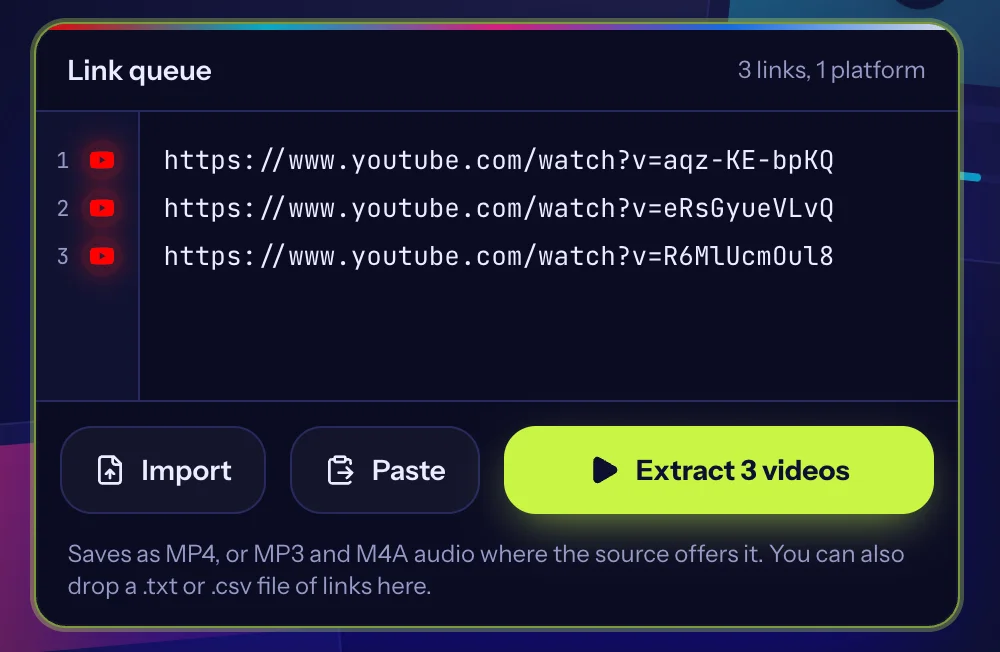
Paste up to 100 links, one per line
Saves as MP4, or MP3 and M4A audio where the source offers it. You can also drop a .txt or .csv file of links here.
Only save videos you own or have permission to download. Read our copyright policy and the guide to downloading responsibly.
Save public Instagram Reels to your phone or computer. Paste one reel link or a whole list and download them without logging in.
Built for lists, not one link at a time
Batch download
Paste up to 100 links at once. We read them in parallel across platforms and you save everything in one go.
Fast lookups
Every link is checked at the same time, so a long list does not mean a long wait.
No signup
No account, no install. Paste, pick a quality, save.
Quality you choose
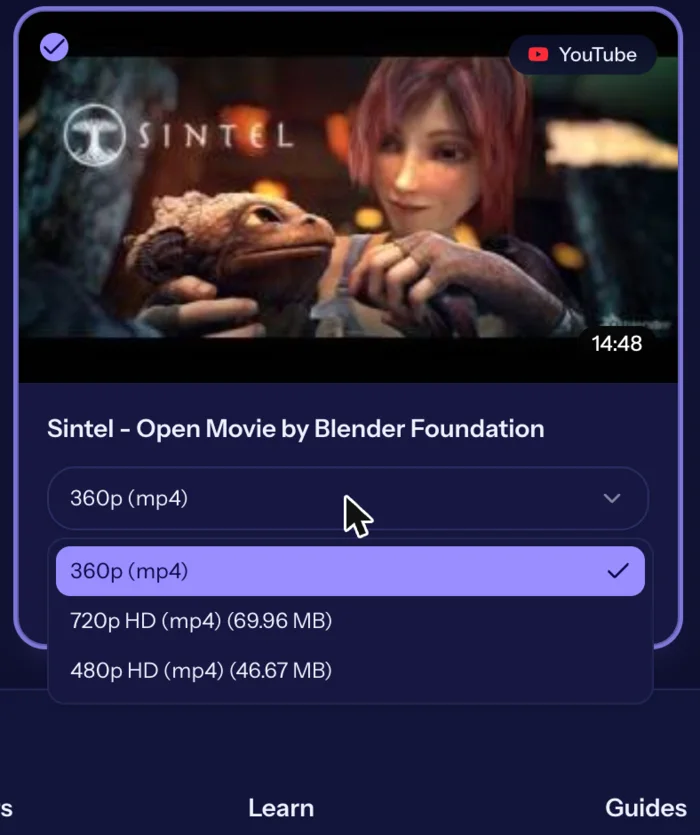
Each video lists the versions the source offers, from standard up to HD where the platform provides it.
Audio too
Save the sound of a video as MP3 or M4A when the source offers it.
Three steps
- 1
Paste
Copy video links from any supported platform and paste them into the link queue.
- 2
Choose
Pick the quality and format for each video, or leave the default.
- 3
Download
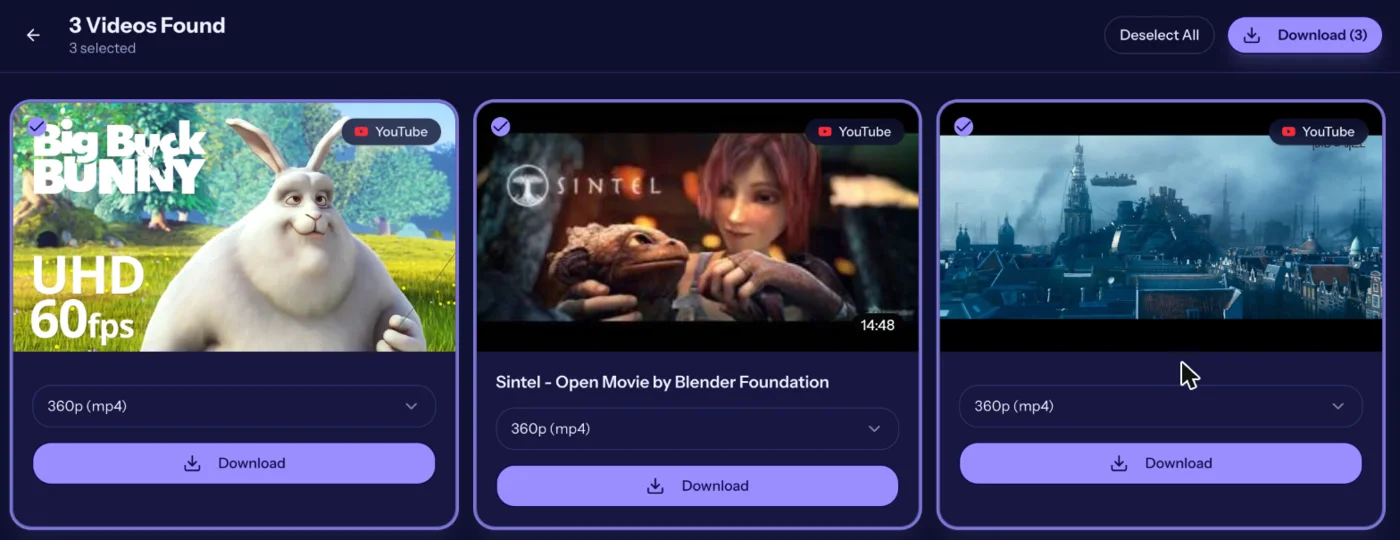
Save one video or the whole batch to your device.
See it in action
Real screenshots from the live tool. The example videos are Creative Commons films by the Blender Foundation, which anyone may share.
How to download Instagram Reels
- Copy the reel link. Open the reel, tap the paper plane icon, then Copy link.
- Paste the link. Paste it above. Add more reels on separate lines.
- Extract. Press Extract Videos and wait a few seconds.
- Save it. Press Download. The reel is saved as an MP4 named after its caption.
Reel link examples
- https://www.instagram.com/reel/XXXXXXXXXXX/
- Links with tracking text after a question mark also work
- /p/ post links that contain a video
Downloading many reels
Reels are looked up a few at a time so Instagram does not block the requests. A list of 20 reels usually takes about a minute to look up, then Download All saves them one after another.
Audio
Each reel also offers an audio-only file, handy when you only want the music or voice-over. Check the usage rights of music before reusing it.
Save Instagram Reels videos on iPhone, Android and desktop
The Instagram Reels downloader runs in your browser, so there is nothing to install. On an iPhone, open this page in Safari: the finished file goes to the Files app under Downloads. On Android, use Chrome and find the video in your Downloads folder or the Files app. On Windows and Mac, the file lands in your browser's download folder.
If a download does not start, check that your browser is allowed to download files from this site and that you have free storage on the device.
Free, no signup, and what we do not store
BulkVideoDownloader is free to use and needs no account. We look up the video details to show you the available versions; the video file is not kept on our servers. Only download content you own or have permission to save, and respect the creator's rights and the platform's terms.
What a reel download contains
A reel is a short vertical video, usually 9:16, with its audio mixed in. The MP4 you save plays in any gallery app. If a reel uses licensed music, that music is part of the file, so it is meant for personal viewing rather than republishing.
Reels shared by brands, creators and public accounts all work as long as the account is public. Reels from private accounts are only visible to approved followers and cannot be downloaded.
Backing up your own reels
Instagram compresses uploads and may not keep an original on your phone after editing. Downloading your published reel gives you a copy you can store, re-edit or reuse on another platform you own. Creators and agencies often do this monthly as part of a content archive.
Why a reel may fail
- The account is private or the reel was deleted
- Instagram is limiting requests, so wait a minute and retry
- The link was copied partially, so copy it again with Share, then Copy link
- The reel is age or region restricted
Etiquette
Credit the original creator whenever you share a reel, tag them if the platform allows it, and do not reupload their work as if it were yours. Many creators are happy to give permission when asked politely.
Related tools and guides
Helpful reading
- How it worksSee how BulkVideoDownloader turns a list of public video links into files on your device: paste, extract, choose a quality, save. No account or install.
- Frequently asked questionsAnswers to common questions about BulkVideoDownloader: cost, supported platforms, quality, privacy, copyright and what to do when a link will not download.
- How to Copy a Video Link on Any PlatformStep-by-step instructions for copying a video link on TikTok, Instagram, Facebook and X, on phone and computer, plus how to tell if a link is complete.
- Video Quality Explained: 360p to 4KWhat 360p, 720p, 1080p and 4K mean, how much space each uses and how to pick the right quality when you save a video.
- Why Can't I Download This Video?If a video link fails in a downloader, here are the usual reasons: private posts, live streams, age limits, region locks, broken links, and rate limits.
- Downloading Videos Responsibly: Copyright and Permission BasicsA plain-language guide to copyright, permission, fair use and platform terms when you save online videos, plus what to do if your own content is misused.
Frequently asked questions
- How do I download an Instagram Reel?
- Copy the reel link, paste it above, press Extract Videos, then Download.
- Do reels download with sound?
- Yes, as an MP4 with the audio track.
- Why did my reel fail to load?
- It may be private, deleted, or Instagram may have rate-limited the request. Try again shortly.
- Can I save the audio of a reel?
- Yes, choose the audio option.
- Is there a limit?
- You can paste up to 100 links per batch.
- Where do my downloaded Instagram Reels videos go?
- They are saved to your browser's download location: the Downloads folder on a computer or Android phone, and the Files app (Downloads) when you use Safari on an iPhone or iPad.
- Does the Instagram Reels downloader work on a phone?
- Yes. It works in the browser on iPhone, iPad, Android and desktop. No app is needed.
- Does a reel keep its original aspect ratio?
- Yes. The file is the same 9:16 video Instagram serves, so it will look the same in your gallery.