Convert TikTok to MP3 Free
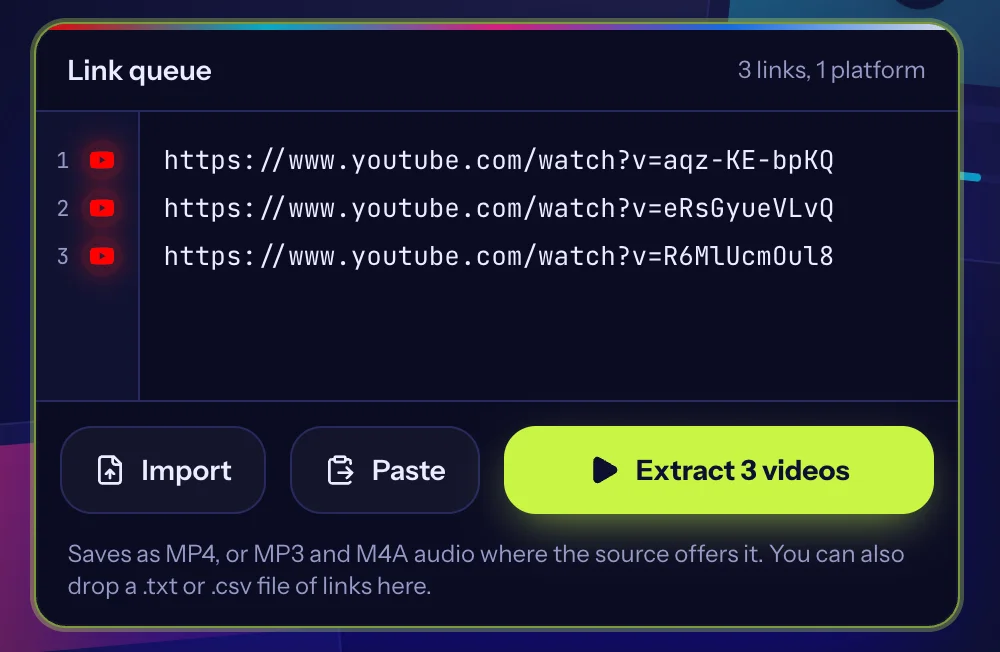
Paste up to 100 links, one per line
Saves as MP4, or MP3 and M4A audio where the source offers it. You can also drop a .txt or .csv file of links here.
Only save videos you own or have permission to download. Read our copyright policy and the guide to downloading responsibly.
Want the sound from a TikTok without the video? Paste the TikTok link, choose the Audio (MP3) option and download it. No app, no account, and it works on iPhone, Android and desktop.
Built for lists, not one link at a time
Batch download
Paste up to 100 links at once. We read them in parallel across platforms and you save everything in one go.
Fast lookups
Every link is checked at the same time, so a long list does not mean a long wait.
No signup
No account, no install. Paste, pick a quality, save.
Quality you choose
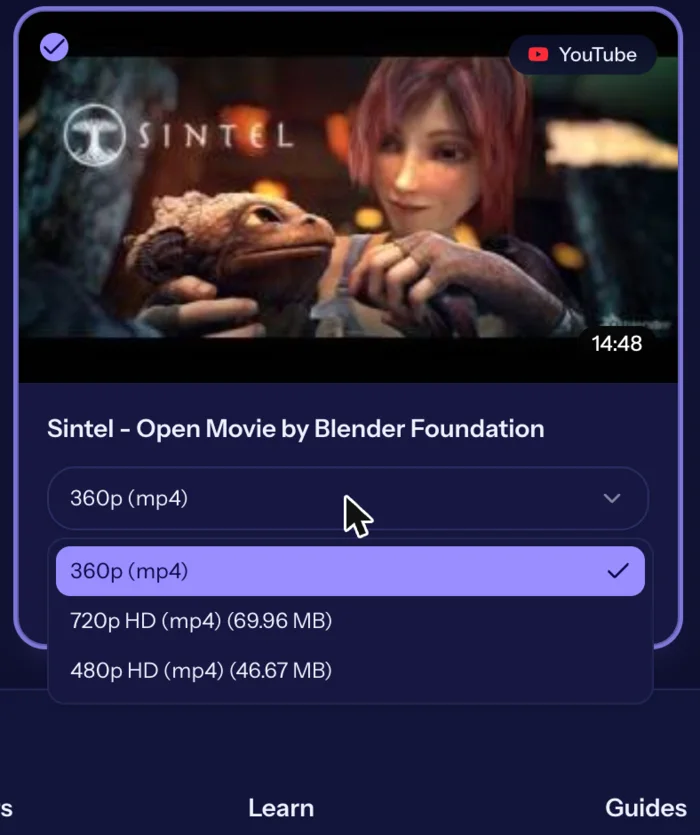
Each video lists the versions the source offers, from standard up to HD where the platform provides it.
Audio too
Save the sound of a video as MP3 or M4A when the source offers it.
Three steps
- 1
Paste
Copy video links from any supported platform and paste them into the link queue.
- 2
Choose
Pick the quality and format for each video, or leave the default.
- 3
Download
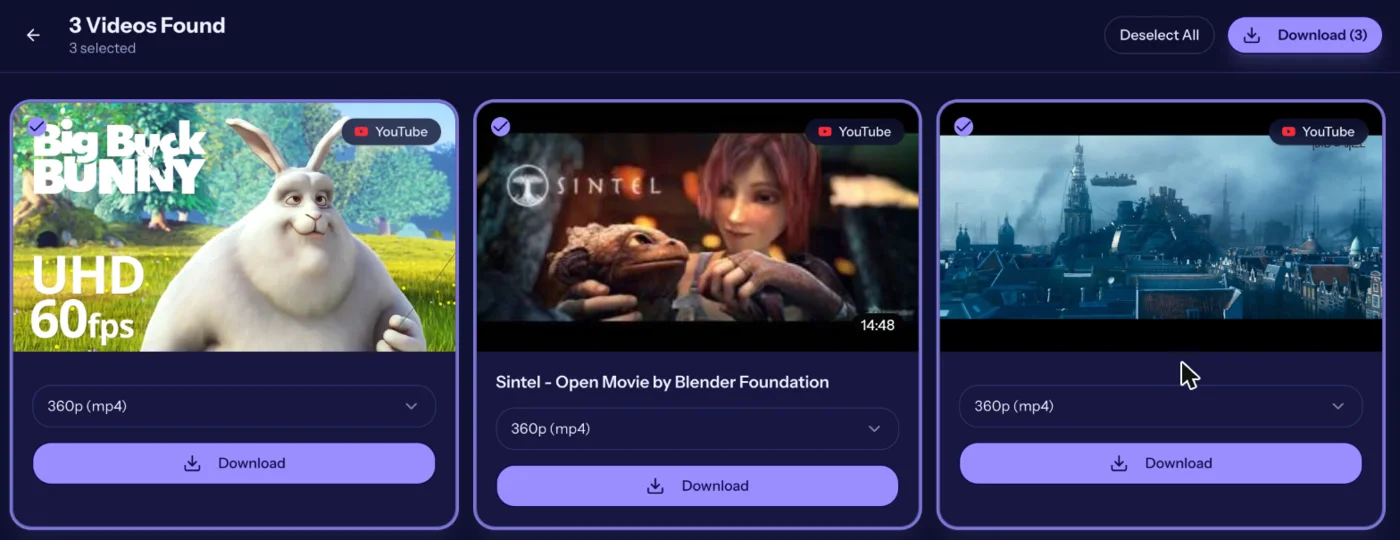
Save one video or the whole batch to your device.
See it in action
Real screenshots from the live tool. The example videos are Creative Commons films by the Blender Foundation, which anyone may share.
How to Convert TikTok to MP3
- Copy the TikTok link. In the TikTok app tap Share, then Copy link. On a computer copy the address from the browser bar.
- Paste it above. Paste the link into the box. Add more links on new lines to convert several TikToks at once.
- Press Extract Videos. We list the versions TikTok provides for that video, including the audio.
- Choose Audio (MP3). Pick the Audio (MP3) option and press Download.
What you get
- The sound of the TikTok as an MP3 file
- No video, so the file is small
- Works for public TikTok videos with a normal share link
- Batch mode: paste many links and save the sound of each
Good to know
The MP3 is the audio track of the video you link to, so a video that uses a popular song gives you that clip's audio. Private videos and videos removed by the creator cannot be downloaded. Only save sound you own or have permission to use, and respect the creator's and the music owner's rights.
Save TikTok sound on iPhone, Android and desktop
Everything runs in your browser. On an iPhone use Safari and find the MP3 in the Files app under Downloads. On Android use Chrome and open it from Downloads. On a computer it lands in your browser's download folder.
How the MP3 option works
TikTok serves each video with its audio track. When you choose Audio (MP3), the tool downloads that track on its own so you do not have to save the full video first. The file is the sound exactly as it plays in the clip, including any voice-over mixed with background music.
Quality depends on what TikTok provides for that video. Original sounds recorded by the creator are usually lower bitrate than commercial music, so expect clear speech rather than studio audio.
Common uses
- Saving a voice-over or interview clip to listen to later
- Keeping the sound of your own TikToks for use in other projects
- Building a reference playlist of sounds before asking permission to use them
- Listening offline when you do not want to spend mobile data on video
Music rights
A song that appears in a TikTok is normally licensed for use inside the app. Downloading it as MP3 does not give you the right to publish it elsewhere, upload it to another platform or use it in a monetised video. Use audio you made yourself, or that carries a licence that allows your use.
MP3 or M4A?
Some platforms return M4A or AAC audio rather than true MP3. Both play on every phone and computer. Our format guide explains the difference in plain language and when it matters.
Related tools and guides
Helpful reading
- How it worksSee how BulkVideoDownloader turns a list of public video links into files on your device: paste, extract, choose a quality, save. No account or install.
- Frequently asked questionsAnswers to common questions about BulkVideoDownloader: cost, supported platforms, quality, privacy, copyright and what to do when a link will not download.
- How to Copy a Video Link on Any PlatformStep-by-step instructions for copying a video link on TikTok, Instagram, Facebook and X, on phone and computer, plus how to tell if a link is complete.
- Video Quality Explained: 360p to 4KWhat 360p, 720p, 1080p and 4K mean, how much space each uses and how to pick the right quality when you save a video.
- Why Can't I Download This Video?If a video link fails in a downloader, here are the usual reasons: private posts, live streams, age limits, region locks, broken links, and rate limits.
- Downloading Videos Responsibly: Copyright and Permission BasicsA plain-language guide to copyright, permission, fair use and platform terms when you save online videos, plus what to do if your own content is misused.
Frequently asked questions
- Can I convert TikTok to MP3 for free?
- Yes. It is free, with no signup and no software to install.
- How do I get the sound from a TikTok video?
- Paste the TikTok link, press Extract Videos and choose Audio (MP3), then Download.
- Can I convert many TikToks to MP3 at once?
- Yes. Paste up to 100 links, one per line, extract them and download the audio for each.
- Where is the MP3 saved?
- In your browser's download location: the Downloads folder on a computer or Android phone, or the Files app (Downloads) when you use Safari on an iPhone.
- Does it work on a phone?
- Yes. It works in the browser on iPhone, Android and desktop.
- Why is the audio quality lower than the song?
- The file is the track attached to the video, which TikTok compresses. It is not a studio recording of the song.
- Can I use the MP3 as a ringtone?
- For personal use you can set most MP3 files as a ringtone, but check the music's licence before sharing it publicly.